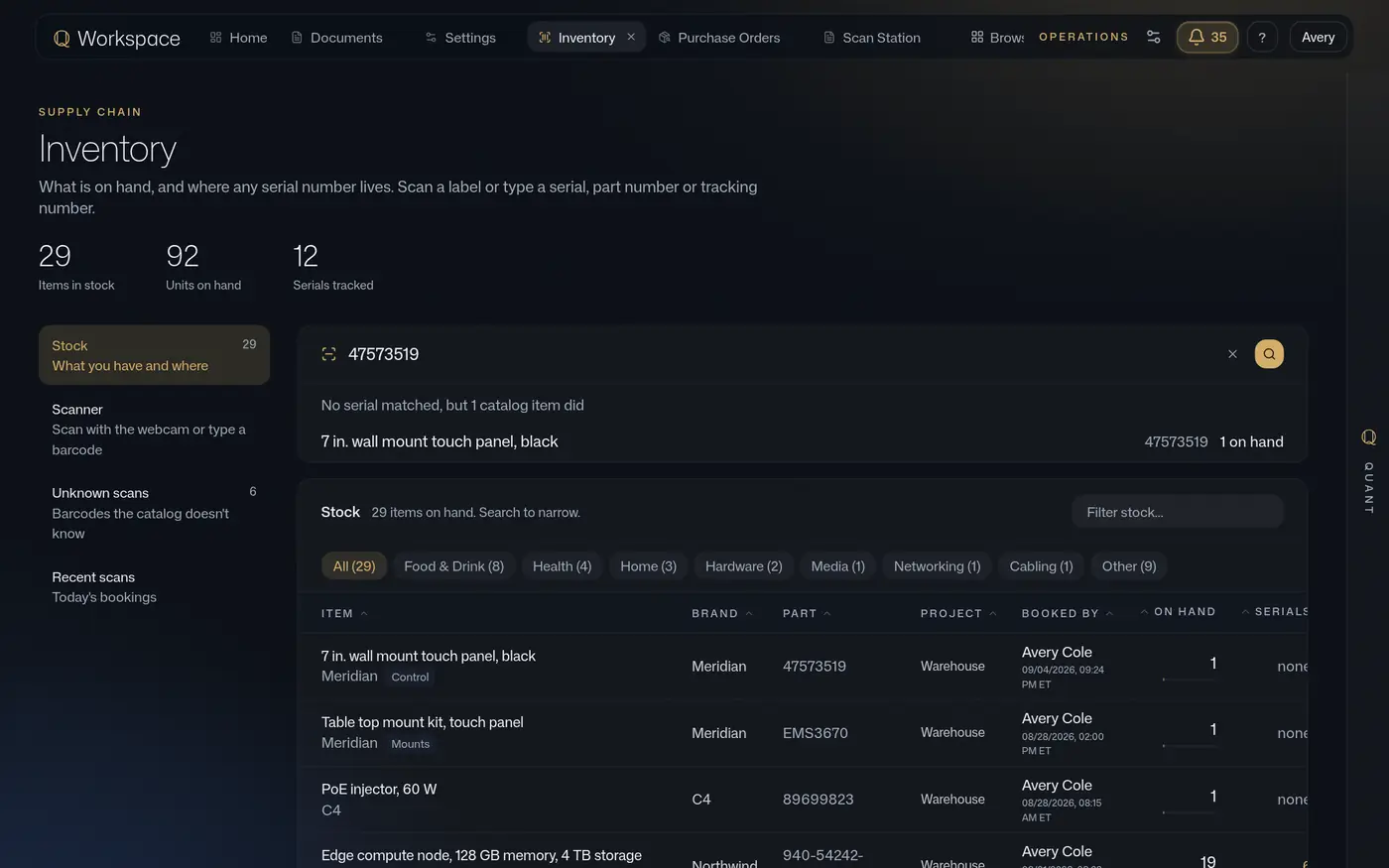
One unit, door to site.
A label scanned at the door becomes a record with who, where and when.
The handheld asks what you are doing, then scans. A new person signs in with a four to six digit PIN set in their own account, so every scan records who booked it. Any phone does the same job in the browser.
- Devices
- Zebra handheld, any phone, desktop camera at the scan station
- Modes
- Inventory, purchase order, transfer, shipping label
The serial lives on the item, with who and when.
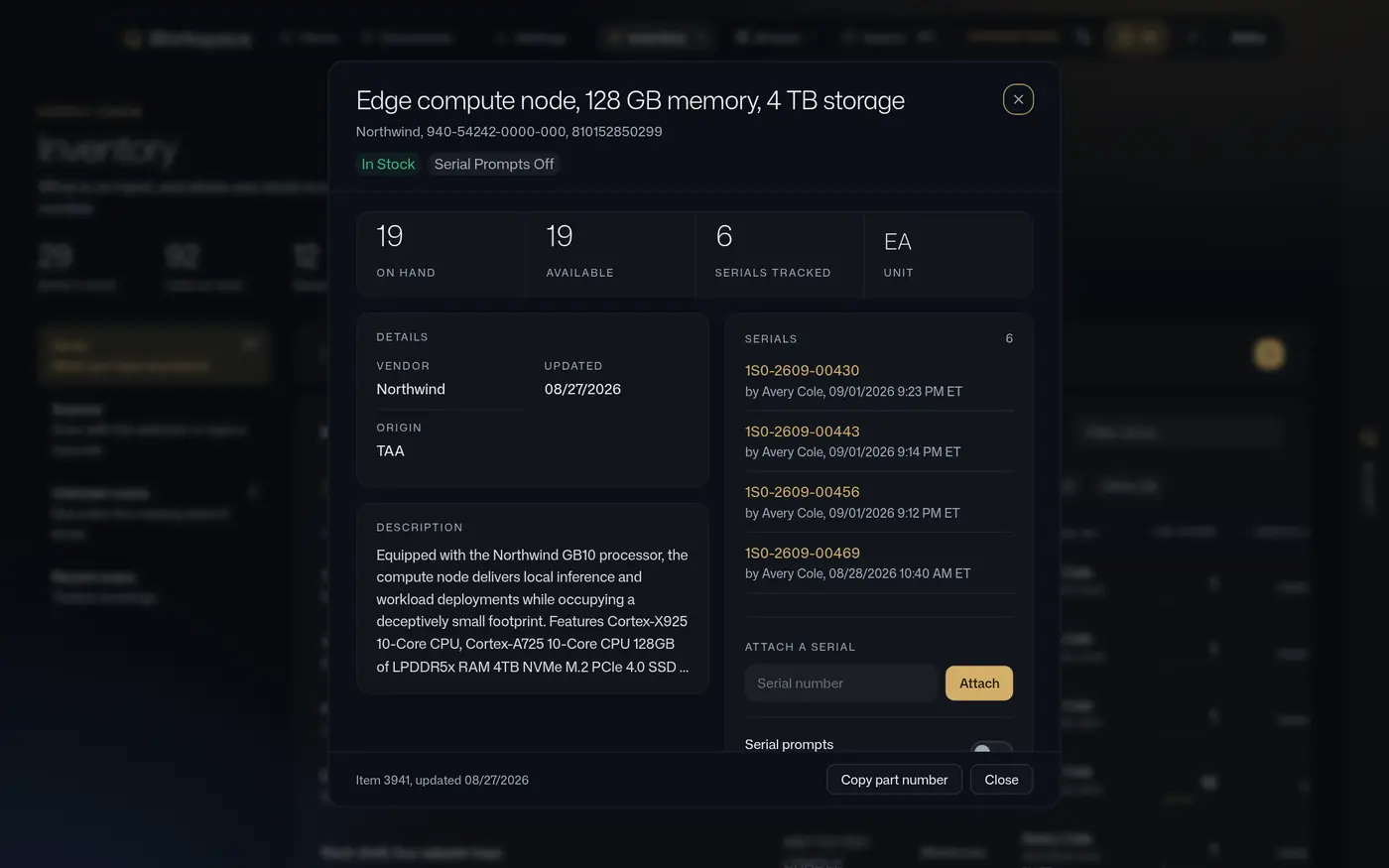
Serial numbers are captured on the item at the moment of receipt. A scan of the part number where a serial belongs is refused, not recorded. Delete a double scan and the serial it carried is wiped with it.
- Refused
- A part number scanned in place of a serial is rejected at the device
- Wiped
- Deleting a double scan removes its serial
One write lands on the order, the project and the inventory at once.
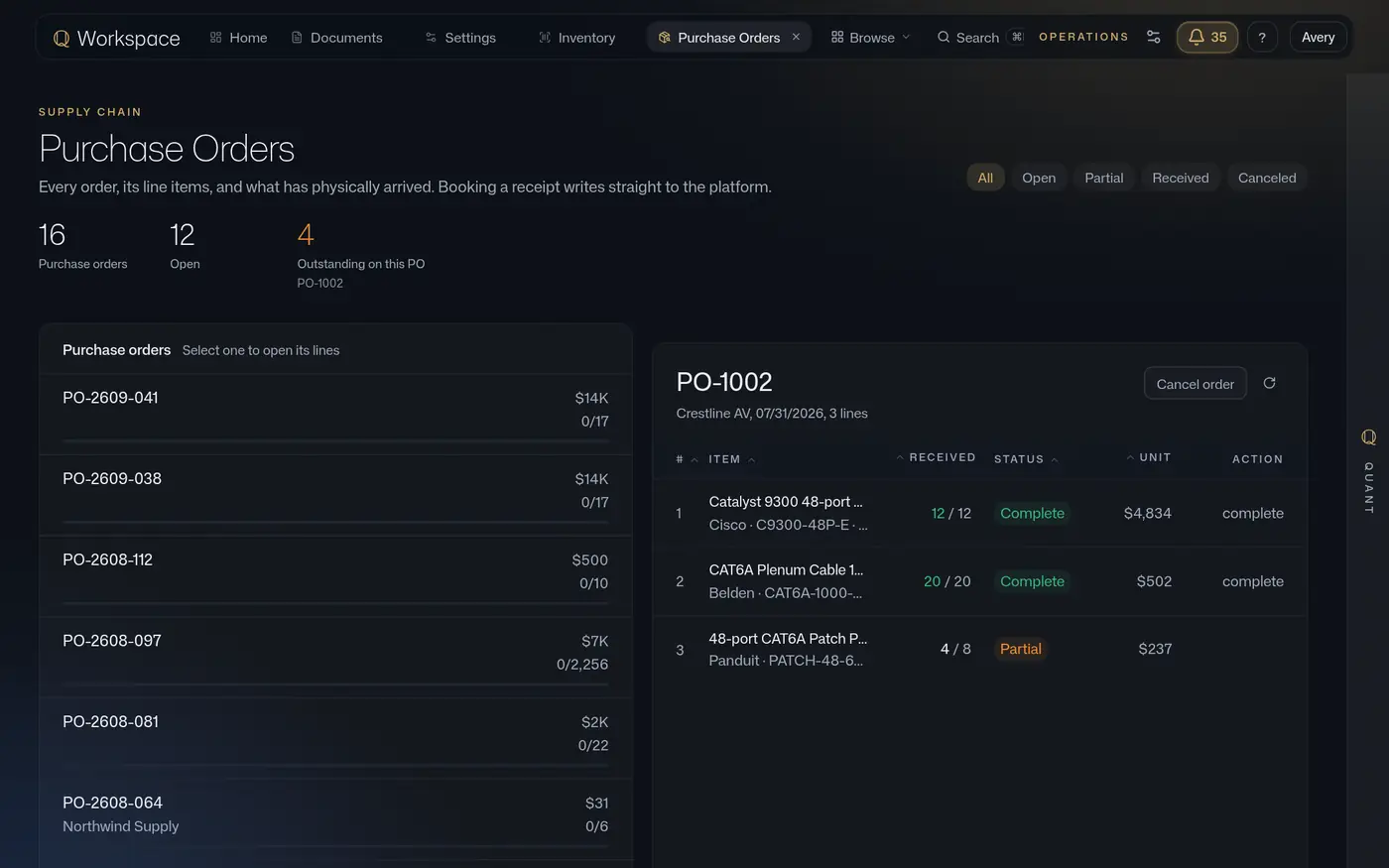
Partial and complete receipts are booked line by line, and the order shows what is still outstanding. The project shows what was committed and what arrived. The inventory shows where it is. Nothing is re-keyed between the three.
- Orders
- Line by line, partial and complete, with the outstanding count
- Notice
- A received label can post to the Teams channel that asked
Signed at the customer site. The chain closes where it started.
Outbound shipments carry the carrier tracking and who signed, where, and when. The same unit that came through the door leaves with its serial, its operator history and its signature on one record.
- Delivery
- Carrier tracking, received by whom, where, and when
One question at a time, then pull the trigger.
A Zebra handheld, any phone in a browser, or a desktop camera at the scan station. A new person signs in with a PIN set in their own account.
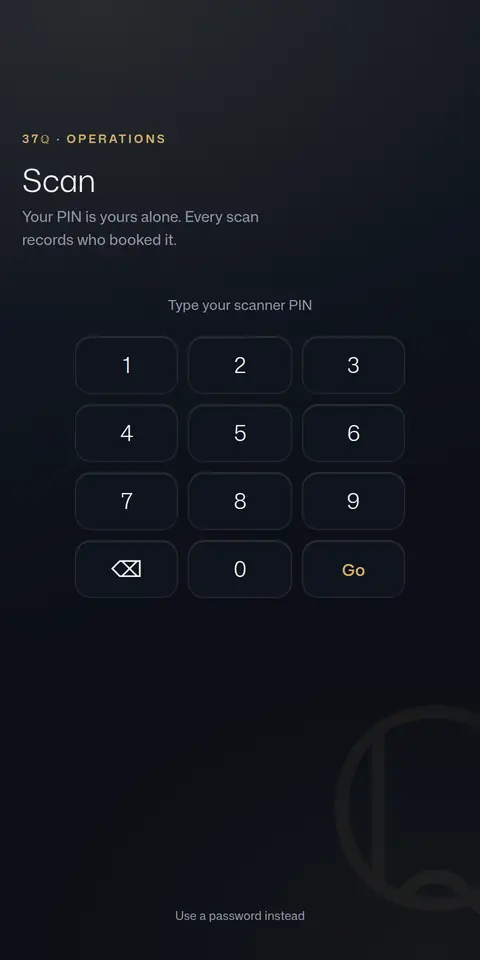
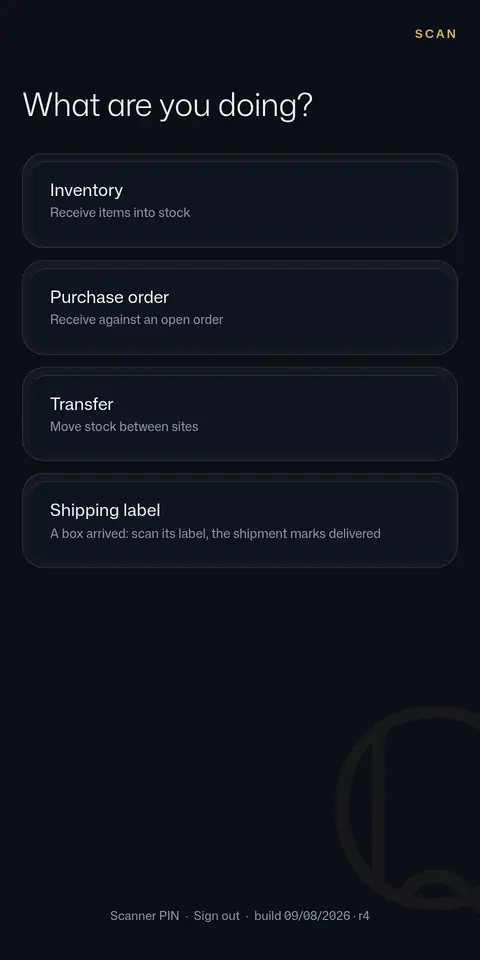
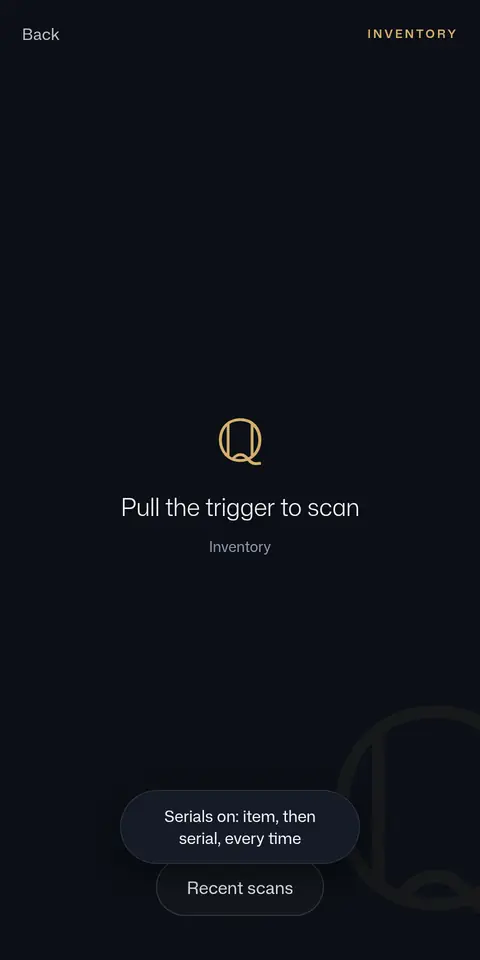
The item sheet: every serial, who booked it, and when.
On hand and available, serials tracked, and each serial with the operator and the Eastern time it was booked. Attach a serial by hand when a device is not to hand.
- Refused
- A part number scanned in place of a serial is rejected
- Wiped
- Deleting a double scan removes its serial
Purchase orders, line by line, with what is still outstanding.
Partial and complete receipts are booked at the door and land on the order, the project and the inventory in the same write. The order shows what has arrived and what has not.
Dock runs standalone for a floor that needs custody and counts. Inside Workspace, the same scan lands on the project and the financials too.